PocketPapi

One connected business platform

Run the whole day from one place.

Website, point of sale, customers, team, and business screens—connected in one PocketPapi workday. Start with the site you have, then add the tools that fit your business.

Your website & bookings POS, CRM & team tools
A café owner reviewing her business workspace at the counter
One workspace for your workdayWebsite · POS · People · CRM · Screens
PocketPapi mark
POCKETPAPIA clear starting point for the work ahead.Review your business details, then choose what to build next.
PocketPapi mark
POCKETPAPIStart with your business details.
Start with what you have

Build your starting point.

Tell us a little about your business. We’ll shape a workspace you can review and make your own.

Add a logo or existing site images (optional)
WebsitesBookings & ShopPOSPeople & TimeCRMPocketPapi AppScreens

One workday. Fewer handoffs.

From the first customer impression to the shift close, bring the right tools into the same project workspace.

01 / Website, bookings & growth

Give customers a clear way in.

Build or improve your public site, help customers find you, and give them a straightforward next step—whether that is a booking, a shop visit, or a conversation.

  • Site Studio with staging, review, and publishing
  • Public booking pages and staff bookable hours
  • Online shop and order workflows
  • SEO, content, social, and site-health tools
  • Support conversations and website inquiries
  • AI suggestions with visible review boundaries
Explore the website workflow

02 / Point of sale

Keep the counter and kitchen moving.

Bring the register, menu, order queue, kitchen display, inventory, and customer rewards into a practical POS toolkit for the way your shop serves people.

  • Register, orders, and kitchen display
  • Menu builder, modifiers, and menu boards
  • Inventory adjustments and vendor inventory
  • Loyalty, rewards, promotions, gift cards, and giveaways
  • Kiosks, tables, deliveries, and driver queue
  • Printers, local POS Bridge, and reports
Explore PocketPapi POS
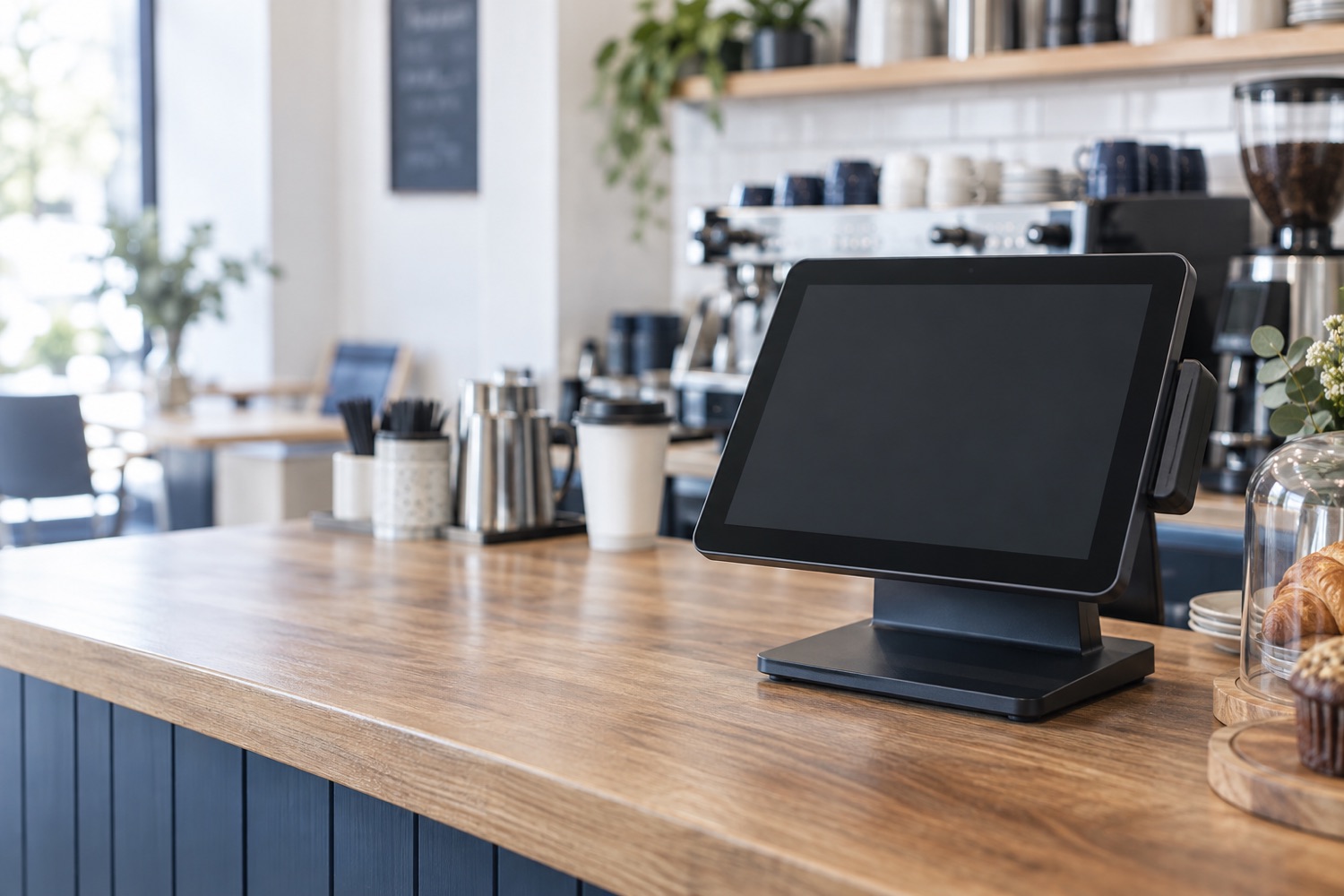
Touchscreen point-of-sale terminal at a neighborhood cafe counter
POCKETPAPI POSSample order 1048 PreparingLatte · Cold brew · Avocado toastReady when they are →

03 / People & time

Make the next shift easier to see.

Keep employee profiles, roles, departments, schedules, clock records, and manager review in the Business Hub your team already uses.

  • Employee profiles, roles, and hierarchy
  • Shift schedules and availability
  • Clock in/out and time records
  • Corrections with an audit history
  • Call-out coverage with manager approval
  • Payroll review, approvals, and CSV export
Explore employee management & time

04 / Customer relationships

Remember the relationship, not just the lead.

See a customer’s connected history, move opportunities through a clear pipeline, import reviewed CSV rows, export formula-safe records, and keep follow-up work assigned to the right person.

  • Compact pipeline and searchable customer book
  • Shared customer identity and connected history
  • Logged interactions, notes, bookings, and support
  • Project-linked follow-up tasks for your team
  • CSV import preview and formula-safe exports
  • Review-only AI; activity stays distinct from research fit
Explore PocketPapi CRM

Pocket Papi · iOS & Android

Your website’s important work, in your pocket.

Review site leads, reply to live website conversations, open the site tools your role allows, and stay aware of PocketPapi Phone activity.

Explore the Pocket Papi app

PocketPapi Screens · TV & displays

Make every screen part of the experience.

Manage menu boards, announcement slides, display modes, and optional phone-based games from the Screens workspace.

Explore PocketPapi Screens
Digital menu board display in a light-filled neighborhood cafeMENU · ANNOUNCEMENTS · OPTIONAL GAMES

A practical way to get started

Start with what you have. Build into the work.

01 / BEGIN

Tell us where you are

Share your current website or a few business details, then save a useful starting point.

02 / SHAPE

Choose your next workflow

Build your site, set up bookings or POS, organize your people, or bring customer follow-up together.

03 / CONNECT

Bring in the right team

Use project roles and permissions to give each person access to the work they need.

04 / RUN

Keep the day moving

Review changes, follow the shift, and decide what happens next—without hiding the human approval step.

One workspace. Your way of working.

Put every next step closer to the work.

Start with a website or a business brief. Add the products, people, and customer workflows that make sense for your day.

Build my starting point